


Stay updated with forex news by combining an economic calendar, a reliable headline feed, MT5 price alerts, and official central bank or statistics releases. Check the calendar before each session, verify important headlines, and test alerts. Updates can be delayed, and unexpected events remain possible.
Key takeaways
- An economic calendar lists many scheduled releases with the time, forecast, previous figure, and impact level.
- MT5 desktop includes a calendar and price alerts; its News tab depends on the broker’s feed and platform settings.
- Official central bank and statistics releases are original sources. Use them to verify headlines, figures and revisions.
- Price alerts flag a price change rather than explain news, because the chart often moves before the story is written.
- A fixed routine before the session, before major releases and at day’s end can help you avoid excessive headline monitoring.
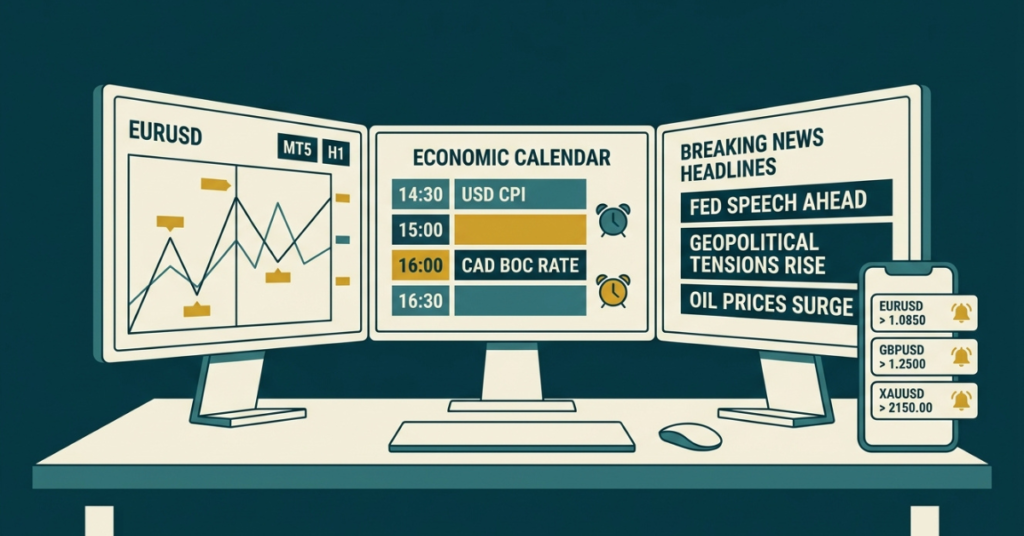
Match news sources to their purpose
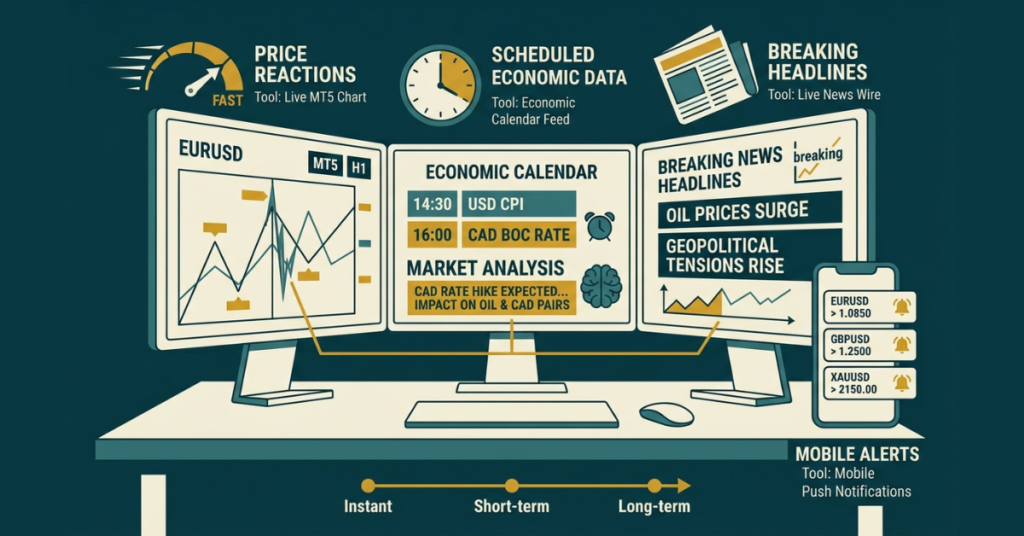
Each tool serves a different purpose. News wires can report breaking events quickly, but subscriptions, broker feeds, processing and internet connectivity affect delivery. No calendar, feed or phone alert guarantees instant information.
| Purpose | News type | Best tool | Example |
| Monitor levels | Price reaction | MT5 price alerts, push notifications | EUR/USD drops 40 pips in a minute |
| Track scheduled releases | Scheduled data | Economic calendar with live “actual” figures | US CPI comes in above forecast |
| Follow unexpected events | Breaking headlines | Broker news feed, financial news wires | Surprise comment from a central bank official |
| Build context | Context and analysis | Daily market news, newsletters | Why the dollar rallied this week |
Combine these sources according to your trading plan. Price alerts identify a threshold crossing; a news feed or original release helps investigate its cause. Analysis provides interpretation, which can be incomplete or disputed.
Tool 1: Use an economic calendar
The economic calendar is the backbone of any forex news setup. It lists upcoming releases such as jobs reports, inflation data, GDP, and central bank decisions. Each entry usually shows:
- Time of release (check the calendar’s displayed time zone; MT5 calendar functions use trade-server time, while website calendars may offer local time settings).
- Impact level, often low, medium, or high.
- Previous figure from the last release.
- Forecast, the figure economists expect.
- Actual value, updated after publication; timing varies by provider and connection.
The gap between forecast and actual can influence price, alongside revisions, positioning, policy expectations and other simultaneous releases. Here is a simple example. Economists expect US inflation of 0.3% for the month. The actual number prints 0.5%. Higher than expected inflation can raise expectations of higher interest rates, which may support the US dollar. A 0.1% reading may have the opposite effect. These are hypothetical figures, not a reliable trading signal; markets can react differently or reverse.
Defcofx offers a free forex economic calendar, and our guide to the most important events in the economic calendar explains which releases deserve your attention first.
Tool 2: Set up MT5 news and alerts
MetaTrader 5 lets you follow news without leaving your charts. On MT5 desktop, the Toolbox includes a Calendar tab. The News tab requires an available broker feed and enabled news settings; content and language can vary. You can also show calendar events directly on the chart, so you can see when a release is coming as price approaches a key level.
Set up phone alerts in a few minutes
- Install the MT5 app on your iPhone or Android and log in to your trading account.
- Find your MetaQuotes ID in the mobile app’s Messages or settings area; the location differs by operating system and app version.
- On MT5 desktop, open Tools > Options > Notifications, enable push notifications, enter that ID, and use the Test button. Allow notifications in your phone’s operating-system settings.
- Right-click a price level on your chart and add an alert, or add one from the Alerts tab in the Toolbox.
- Choose “Notification” as the action so the alert reaches your phone.
Test push delivery first and keep the desktop terminal running, connected and awake for its price alerts. A GBP/USD alert can then notify your phone while you are away; delivery can be delayed. Broker-server trade notifications are a separate feature. New to the platform? Our guide on how to use MetaTrader 5 covers the basics.
Tool 3: Confirm news with official sources
Rumours spread fast on social media. Before you trade a big headline, check the original source. These publish original data and policy documents; they are not a guarantee of the fastest delivery to every trader:
| Source | What it publishes | Currencies affected |
| US Federal Reserve | Interest rate decisions, statements, minutes | USD and all USD pairs |
| US Bureau of Labor Statistics | Non-farm payrolls, CPI inflation | USD |
| European Central Bank | Rate decisions, press conferences | EUR |
| Bank of England | Rate decisions, minutes, Monetary Policy Report | GBP |
| Bank of Japan | Policy decisions and economic outlook | JPY |
Tool 4: Read daily analysis for context
Real-time tools tell you what is happening. Daily analysis offers possible explanations. Read a short market summary before your session to understand the main themes, such as rate expectations or risk sentiment. Defcofx publishes market news and a forex trading newsletter you can use for this. The forex market heat map is another quick way to see which currencies are strong or weak at a glance.
Open Free Demo AccountBuild a daily forex news routine
Continuous headline monitoring can encourage fatigue or impulsive decisions. A short routine can help structure your checks. Here is a simple version for a trader who focuses on the London and New York sessions:
| When | What to do | Time needed |
| Night before | Scan tomorrow’s high-impact events for your pairs | 5 minutes |
| Before your session | Read a daily summary, check overnight moves | 10 minutes |
| 30 minutes before big data | Decide: stay out, reduce size, or plan a setup | 2 minutes |
| During the release | Watch the actual vs forecast and the first price reaction | As needed |
| End of day | Note what moved and why in your trading journal | 5 minutes |
The fixed checks total about 22 minutes, plus time watching releases. They reduce missed scheduled events but cannot prevent surprises.
Check key scheduled forex events
Some releases move the market far more than others. The table below shows how often the key ones come around, so you know what to expect each month and year.
| Event | How often | Usual release time |
| US Non-Farm Payrolls (jobs report) | Monthly | 8:30 AM New York time; dates vary, check the BLS schedule |
| US CPI inflation | Monthly | 8:30 AM New York time |
| Federal Reserve (FOMC) decision | 8 scheduled meetings a year | 2:00 PM New York decision; scheduled press conference at 2:30 PM |
| European Central Bank decision | 8 monetary policy meetings a year | 14:15 Frankfurt decision; press conference at 14:45 |
| Bank of England decision | 8 meetings a year | Midday London time |
| Bank of Japan decision | 8 meetings a year | Decision time is not fixed; check the BOJ release schedule |
Confirm dates and times with the issuing institution, then check your calendar’s time zone. Releases can be postponed. US and European daylight-saving changes occur on different dates. To see which of these tend to cause the biggest swings, read which forex news events have the largest moves.
Avoid common forex news mistakes
- Following too many sources. Pick one calendar, one news feed, and one alert system. More sources mean more noise.
- Ignoring time zones. A US release at 8:30 AM New York is 5:30 PM Pakistan during US daylight saving time and 6:30 PM Pakistan during US standard time. Pakistan remains UTC+5. London conversions vary around clock changes. Check the displayed time zone rather than assuming a fixed offset.
- Trading the headline, not the reaction. The first spike can reverse. Watch how price behaves for a few minutes.
- Forgetting open positions. Check the calendar before you hold a trade into a high-impact release.
- No stop loss during news. Fast moves can blow past mental stops. Use a planned risk limit and understand stop orders: ordinary stops may fill beyond the requested price during gaps or fast markets. Reducing exposure or staying out may be appropriate.
Use Defcofx tools and check trading terms
Defcofx puts the news tools you need in one place, alongside published account terms. Check current conditions before using them:
- Free economic calendar, daily financial news, and market heat maps on the Defcofx website.
- MT5 desktop provides a calendar, broker-supplied news and push-alert setup. Features differ on web and mobile; the separate Tradays mobile calendar can track releases.
- The account overview lists spreads from 0.5 pips, zero trading commission and no swap fees. Minimum spreads are not guaranteed during news; other charges can apply.
- Forex leverage up to 1:2000 on Silver and 1:500 on Gold. The trading conditions state that margin requirements increase for existing and new positions 15 minutes before major news, reducing 1:2000 leverage to 1:500; check free margin and the applicable schedule.
- The withdrawal policy targets processing in about three hours, subject to checks and conditions. USDT withdrawals have a $10 fee; other wallet or unused-deposit charges may apply. Review the current policy, including weekend and open-position restrictions.
- 24/5 live chat, email, and phone support, Monday to Friday.
- The 40% welcome bonus terms apply to eligible new clients’ first deposits of at least USD 1,000 or EUR 1,000. Verification requires ID and a selfie holding that ID. Request and receive the bonus before placing trades or orders. Bonus credit is non-withdrawable; withdrawals or internal transfers cancel it. Pakistan, India and other listed countries are excluded.
Final thoughts on staying updated with forex news
Staying updated with forex news does not require watching headlines all day. A simple combination of an economic calendar, live news feed, MT5 price alerts, and official sources can help monitor information before and during a trading session. No setup captures every event or eliminates delays. The key is knowing which tool to use for scheduled events, breaking news, and immediate price reactions.
The economic calendar should form the foundation of the routine because it shows when high-impact releases are expected and how actual figures compare with forecasts. MT5 alerts then add another layer by notifying you when price reaches an important level, while official central bank and statistics websites can help confirm major headlines before you act.
Frequently asked questions
Combine an economic calendar, a reliable headline feed and phone price alerts. Confirm important figures with original releases. This setup tracks scheduled events and unexpected developments, but delivery delays and incomplete information are still possible.
Yes. Defcofx provides a free website economic calendar, and MT5 desktop includes one in its Toolbox. Check the displayed time zone and source schedule; forecasts and actual figures can arrive later or be revised.
Yes. Enter your mobile MetaQuotes ID in MT5 desktop notifications and select Notification for a price alert. Test delivery and keep the desktop connected and awake. These pushes track price levels and can be delayed.
Central bank decisions, inflation and employment releases often attract attention, but importance depends on the currency and current policy debate. Also follow GDP, official speeches and unexpected global events. An impact rating does not predict direction.
Compare actual data with expectations, revisions and policy guidance. Stronger figures may support a currency if rate expectations rise, but reactions depend on context and positioning. Check the whole release and price response before drawing conclusions.
Sources and review
Reviewed 9 October 2026. Check the BLS release schedule, Federal Reserve calendar, central bank links above and official MT5 settings documentation and MetaQuotes calendar time documentation for current details. Broker statements describe published terms, not independently tested execution. Leveraged forex and CFDs carry a substantial risk of loss.
For additional customer perspectives, read Defcofx reviews on Trustpilot and REVIEWS.io. Individual reviews do not establish regulation, safety or future performance.