


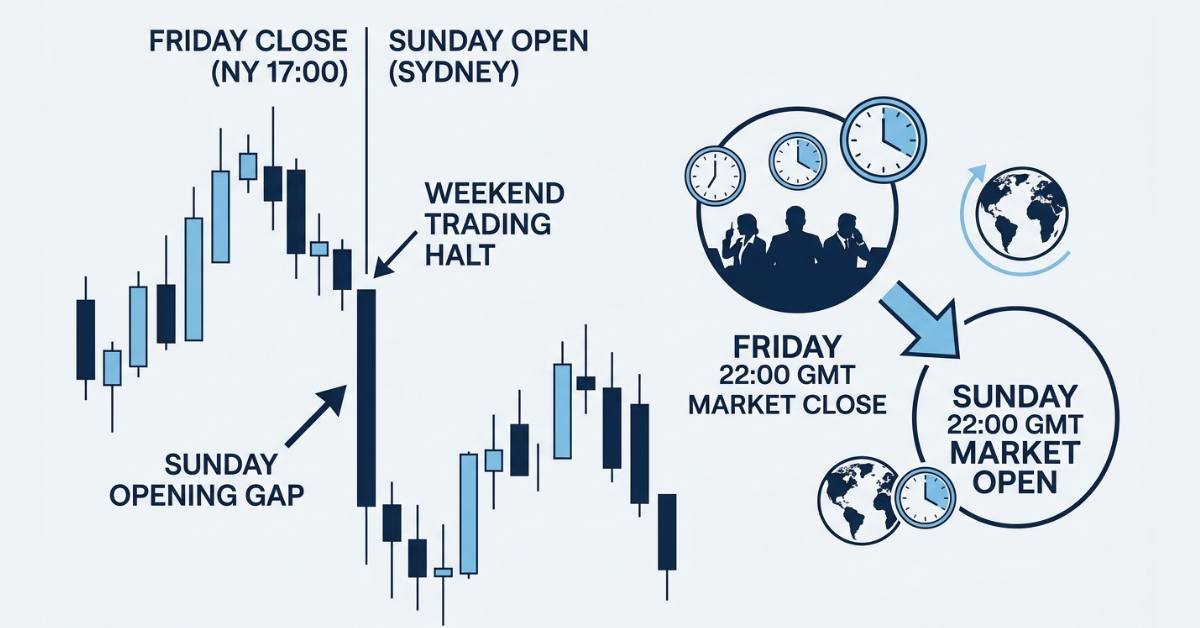
The main features of forex trading platforms include live price charts, buy and sell orders, technical indicators, risk management tools, real-time market prices, multiple timeframes, and account management features. More advanced platforms may also offer automated trading, economic calendars, price alerts, and customizable charts.
Basically, a good platform gives you everything you need to analyze a currency pair, place a trade, and manage it from one place.
So, why wait? You can find all these features at Defcofx. Explore our website, review our offerings, and make an informed decision to start your swap-free trading journey with us.
Open a Live Forex Trading with DefcofxImportant Insights
- Forex trading platforms connect traders to the currency market.
- Live charts and prices help traders follow market movements.
- Technical indicators make it easier to analyze trends, momentum, and volatility.
- Different order types give traders more control over entries and exits.
- Stop-loss and take-profit orders are important risk management features.
- Many platforms support automated trading and custom indicators.
- Mobile trading apps let traders manage positions when they’re away from their computers.
What Does a Forex Trading Platform Actually Do?
Think of a forex trading platform as your main workspace.
It’s where you watch EUR/USD move, check what GBP/JPY has been doing all morning, draw support and resistance levels, place an order, set your stop-loss, and eventually close the trade.
Without a trading platform like Defcofx, you’d have no practical way to interact with the forex market through your broker.
The exact features vary between platforms, but most of them focus on three basic jobs: analyzing the market, placing trades, and managing open positions.
Some platforms keep things really simple. Others, like MetaTrader 5, give traders a much bigger collection of charting, technical analysis, and automated trading tools.
What Should You Look for in a Forex Platform?
Not every trader needs the same features.
A beginner may care more about simple charts and easy order management. An experienced trader might want advanced indicators, automated trading, and customizable layouts.
Here’s a quick way to compare the basics:
| Feature | Why It Matters |
| Live prices | Shows current market conditions |
| Advanced charts | Helps with technical analysis |
| Multiple timeframes | Gives short and long-term context |
| Indicators | Helps analyze trends and momentum |
| Order types | Gives more control over entries |
| Stop-loss/take-profit | Helps manage trades |
| Alerts | Reduces the need to watch charts constantly |
| Mobile access | Lets you manage trades away from desktop |
| Automated trading | Supports rule-based strategies |
The best platform isn’t necessarily the one with the longest feature list.
It’s the one that gives you the tools you actually use without making trading unnecessarily complicated.
Live Forex Prices
One of the first things you’ll see on a trading platform is a list of live market prices.
Forex prices constantly change as buyers and sellers interact in the market. A platform displays these movements in real time or as close to real time as the broker’s pricing setup allows.
You’ll usually see two prices for every currency pair: the bid and ask.
The difference between them is called the spread.
So, if EUR/USD shows:
| Price | Example |
| Bid | 1.1650 |
| Ask | 1.1652 |
| Spread | 2 pips |
If you want to buy, you’re generally dealing with the ask price. If you want to sell, you’re dealing with the bid.
It sounds a little confusing at first, but after you’ve spent some time on a platform, reading these prices becomes pretty automatic.
Charts Are Where Most of the Analysis Happens
Charts are probably the feature traders spend the most time looking at.
A forex chart shows how the price of a currency pair has changed over time. You can usually switch between different chart types, with candlestick charts being especially popular.
Why candlesticks?
This is because they show a lot of information without making the chart too complicated. A single candle can show the opening price, closing price, high, and low for a particular period.
You can also zoom out to see the bigger picture or zoom in to look at recent movements.
For example, you might notice that EUR/USD looks bullish on a 15-minute chart. But when you switch to the daily chart, you realize that the pair is actually still inside a much bigger downtrend.
That extra context can completely change how you look at a trade.
Multiple Timeframes Make a Big Difference
Most good forex platforms let you move between different timeframes.
You might have:
- 1-minute charts
- 5-minute charts
- 15-minute charts
- 1-hour charts
- 4-hour charts
- Daily charts
- Weekly charts
Different traders use different timeframes.
A scalper might spend most of their time on one-minute and five-minute charts. A swing trader might barely look below the four-hour chart.
You can also combine them.
A trader might use the daily chart to figure out the overall trend and then switch to the one-hour chart to find a better entry.
Technical Indicators
Technical indicators take price data and turn it into information that may be easier to interpret.
You’ll find dozens of them on most trading platforms.
Some of the most common include:
- Moving Averages
- Relative Strength Index (RSI)
- MACD
- Bollinger Bands
- Average True Range (ATR)
- Stochastic Oscillator
Each one has a different job.
A moving average can help you see the general trend. RSI looks at momentum. ATR tells you more about volatility.
The idea isn’t to add every indicator you can find.
In fact, that usually makes things worse.
A chart with eight indicators, six moving averages, and twenty lines can become so messy that you don’t know what you’re looking at anymore.
Professional traders often keep things much simpler.
Drawing Tools Are Surprisingly Useful
Indicators get a lot of attention, but simple drawing tools can be just as useful.
Most platforms let you add:
- Horizontal lines
- Trendlines
- Channels
- Fibonacci levels
- Shapes and text notes
A horizontal line can mark an important support or resistance area.
A trendline can help you see whether price is respecting a particular direction.
You can even add notes directly to the chart so you remember why you’re watching a certain level.
These tools are simple, but they can make your analysis much easier to organize.
Different Order Types Give You More Control
You don’t always have to enter a trade at whatever price is available right now.
Forex platforms usually provide several order types.
A market order enters the trade at the current available market price.
Pending orders let you tell the platform to wait until the price reaches a particular level.
For example, maybe EUR/USD is trading at 1.1650, but you only want to buy if it breaks above 1.1700.
Instead of sitting there staring at the chart until that happens, you may be able to place a pending order.
If the price reaches your chosen level and the order conditions are met, the platform can trigger the trade automatically.
Example: Let’s say GBP/USD is approaching resistance at 1.3100. You don’t want to buy before the breakout, so you place a pending buy order above the level. If the price breaks through, your order can activate without you needing to manually click buy at that exact moment.
Stop-Loss and Take-Profit Orders
These are two features every forex trader should understand.
- A stop-loss tells the platform where you want to exit if the trade moves against you.
- A take-profit does the opposite. It closes the position when price reaches your chosen profit target.
Let’s say you buy EUR/USD at 1.1650.
You might set your stop-loss at 1.1600 and your take-profit at 1.1750.
Once those orders are set, you don’t necessarily need to sit there watching every single price movement.
Of course, neither order guarantees the exact requested execution price in every market condition. Fast markets and price gaps can affect execution.
Still, they’re incredibly useful tools for managing trades.
One-Click Trading and Quick Execution
Active traders often want to enter and exit positions quickly; that’s why many platforms include one-click trading or similar fast-order features.
Instead of opening an order window and entering several details every time, traders can execute positions directly from the chart or trading panel.
This can be especially useful for day traders and scalpers.
But there’s an obvious downside: it’s also easier to click the wrong thing.
If you’re new to trading, take your time until you’re completely comfortable with how orders work.
Fast execution isn’t very helpful if you’re quickly placing the wrong trade.
Open a Demo Trading Account for PracticeEconomic Calendars and Market Information
An economic calendar shows upcoming events that could affect currency prices, such as
- Federal Reserve decisions
- ECB announcements
- Inflation reports
- Non-Farm Payrolls
- GDP figures
- Employment data
This information is useful because a perfectly normal-looking market can suddenly become extremely volatile when major economic data comes out.
Imagine you’ve spent 20 minutes analyzing USD/JPY and are about to enter.
Then you notice U.S. inflation data is being released in two minutes.
You might decide waiting is a better idea.
That’s why checking upcoming events should be part of your normal trading routine.
Automated Trading
This is where trading platforms can get much more advanced.
Some platforms support automated trading systems that can analyze markets or execute trades according to predefined rules.
On MetaTrader platforms, these are commonly known as Expert Advisors, or EAs.
For example, someone could create a system that looks for a specific moving average crossover and automatically enters when certain conditions are met.
That doesn’t mean automated trading is a guaranteed path to profit money.
The system is only as effective as the strategy behind it.
Market conditions also change, so an automated strategy that performed well historically may not continue performing the same way.
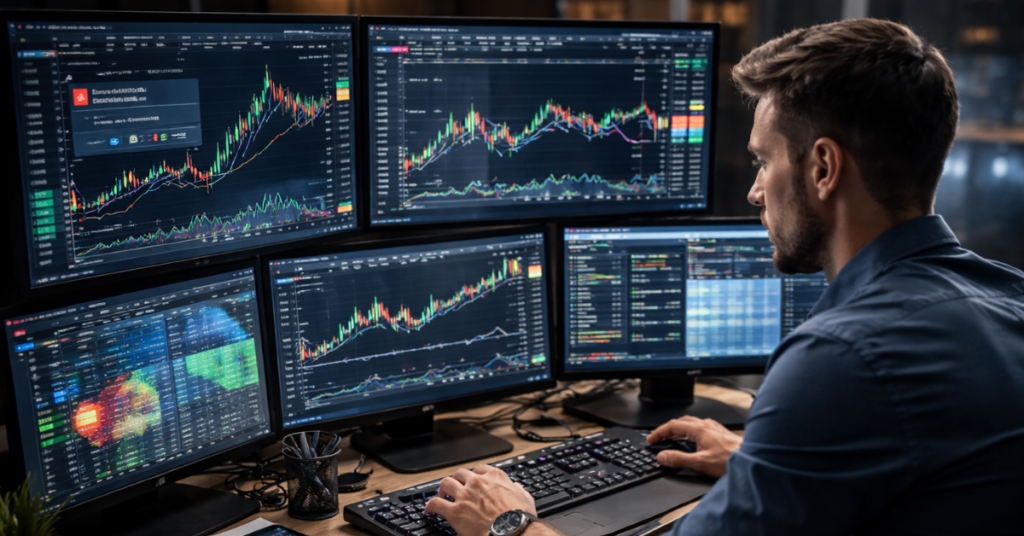
Alerts and Notifications
You probably don’t want to stare at a chart for eight hours waiting for EUR/USD to reach one specific price.
That’s where alerts come in.
Depending on the platform, you may be able to create an alert when:
- Price reaches a certain level
- An order is executed
- A position closes
- Market conditions change
Mobile notifications can make these even more useful.
You can step away from your computer and still know when something important happens.
Mobile Forex Trading
Most major trading platforms now have mobile versions.
Mobile trading apps usually let you check prices, view charts, open and close positions, and manage existing trades from your phone or tablet.
That’s particularly useful if you’re travelling or simply away from your computer.
But mobile trading has its limits.
A smaller screen isn’t always ideal for detailed chart analysis. That’s why some traders prefer doing their main analysis on desktop and using mobile apps mainly for monitoring and managing positions.
Explore Forex Trading with Defcofx
A trading platform is where your analysis turns into actual trading decisions, so having the right tools in one place can make your workflow much smoother.
Defcofx provides access to global forex markets through MetaTrader 5, giving traders advanced charting, technical indicators, multiple timeframes, flexible order types, and automated trading features.
Ready to get familiar with a professional trading platform? Open a DefcoFX account and access forex markets through MetaTrader 5 with spreads from 0.3 pips, commission-free trading, leverage of up to 1:2000, and a full set of charting and analysis tools.
Create your account today!Don’t Choose a Platform Based on Features Alone
Here’s one last thing that’s easy to overlook.
A platform can have amazing charts and hundreds of indicators, but your broker still matters.
Look at things like
- Trading costs
- Available instruments
- Execution
- Account security
- Customer support
- Withdrawal policies.
You should also think about reliability.
If you’re actively managing a position, the last thing you want is a platform that’s difficult to use when the market starts moving quickly.
The platform and broker should work together to give you a trading environment you feel comfortable using.
Frequently Asked Questions
What is a forex trading platform?
A forex trading platform is software that allows you to view currency prices, analyze charts, place orders, and manage your trading account.
What features should beginners look for?
Beginners should focus on clear charts, straightforward order placement, stop-loss and take-profit tools, multiple timeframes, and a simple interface. Advanced features can come later.
What is MetaTrader 5?
MetaTrader 5, commonly called MT5, is a trading platform that provides charts, technical indicators, different order types, automated trading tools, and access to multiple financial markets through supported brokers.
Do forex platforms have technical indicators?
Yes. Most modern forex platforms include indicators such as moving averages, RSI, MACD, Bollinger Bands, and ATR.
Can I trade forex from my phone?
Yes. Many forex platforms offer mobile apps that allow you to view charts, open and close trades, and manage positions from a smartphone or tablet.
Can a forex trading platform trade automatically?
Some can. Platforms such as MetaTrader support automated strategies that can analyze markets and execute trades according to predefined rules.
Is a trading platform the same as a forex broker?
No. Your broker provides access to the market and trading account, while the trading platform is the software you use to analyze markets and place trades.